Quick answer
Moving IT equipment safely comes down to five steps: order internet for the new office early, make and test a full backup, label and photograph every cable, have your IT provider disconnect and reconnect servers and network gear, and pack each computer with padding and anti-static protection so it travels as a labeled set.
In this guide
- Start an IT relocation checklist early
- Order internet and phone service first
- Back up everything before moving IT equipment
- Label and photograph every cable
- Who disconnects and reconnects the equipment
- Packing computers for moving
- How to move a server
- Reconnect, test, and then let people in
- Frequently asked questions
Start an IT relocation checklist early
Furniture can arrive a day late and the office still opens. If the server or the internet connection is not working, nobody can do their job. That is why the technology plan should be the first part of an office move you write down, not the last.
Name one person to own it. In most small and midsize offices that is the outside IT provider or the most technical person on staff. Their IT relocation checklist should start with:
- A full inventory: every computer, monitor, printer, phone, server, switch, router, and battery backup, with the user and serial number
- A visit to the new space to check power outlets, data jacks, and where the server and network equipment will sit
- Whether the new server room or closet has enough power, cooling, and ventilation
- A list of what gets replaced instead of moved. A move is a sensible time to retire old machines
- The shutdown order for move day and the startup order at the new office
Order internet and phone service first
The longest lead time in an office computer relocation is usually not the move. It is the internet and phone service at the new address. Installation dates for business lines are often measured in weeks, and longer when the building needs new wiring.
Call your provider as soon as the lease is signed. Ask for a firm installation date, ask whether your phone numbers can move with you, and schedule the install several days before the move so there is time to fix problems. If you can, keep service running at the old office until the new connection has been tested.
Back up everything before moving IT equipment
Hard drives do not like vibration and bumps. Most survive a careful move, but you should plan as if one will not.
- Run a full backup of every server and of any workstation that stores files locally
- Test it. Restore a few files to prove the backup works. An untested backup is a guess
- Keep at least one copy away from the moving truck: on a drive or tapes that travel in a staff member's car, or stored offsite
- Record the software licenses, passwords, and configuration settings your IT provider would need to rebuild a machine
Do the final backup after the close of business on the last working day, so nothing entered that afternoon is lost.
Label and photograph every cable
Reconnecting is where time gets lost. Ten minutes of labeling per desk before the move saves an hour of guessing after it.
- Give every workstation a number that matches the new floor plan
- Put that number on the computer, each monitor, the keyboard, the phone, and any desktop printer
- Before unplugging anything, photograph the back of each computer and each server so the connections can be copied
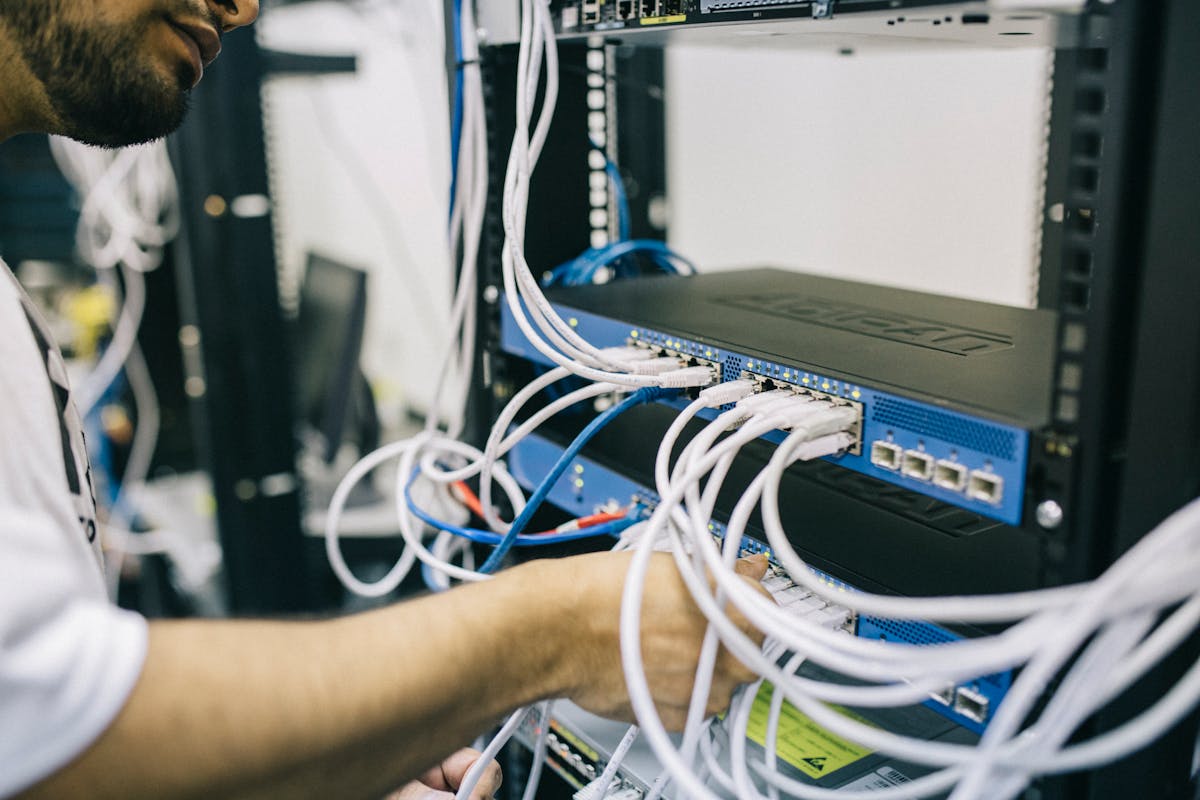
- Label both ends of every network and power cable in the server rack, and photograph the patch panel and switches
- Put each desk's cables, mouse, and keyboard in one sealed bag marked with the workstation number
Our post on the questions to ask movers has more to settle before you book.

Moving an office full of computers? Get a free commercial quote and a crew that labels every workstation by desk.
Who disconnects and reconnects the equipment
Decide this in writing before move day. A mover is responsible for getting equipment there safely. Your IT provider is responsible for making it work.
| Equipment | Disconnects and reconnects | Packs and moves |
|---|---|---|
| Desktop computers, monitors, desk phones | Employees or IT staff | Moving crew |
| Printers and copiers | IT staff, or the leasing company for leased copiers | Moving crew or the leasing company |
| Servers, switches, routers, firewalls | Your IT provider | Moving crew, with the IT provider present |
| Phone system | Your phone vendor | Per the vendor's instructions |
| Laptops | Each employee | Each employee takes theirs home |
At Allpoints, computers, monitors, printers, and peripherals are moved and labeled by desk. For servers and more complex infrastructure, our crew coordinates with your IT provider on timing and handling.
Packing computers for moving
- Shut down properly. Never pull the plug on a running machine
- Use the original boxes and foam if you kept them
- If not, wrap each computer in an anti-static bag or anti-static bubble wrap, then pad it on every side in a sturdy box. Ordinary plastic and packing peanuts can build up static
- Protect monitor screens with a padded cover or foam sheet and stand them upright. Never stack anything on a screen
- Remove ink and toner cartridges from printers, and secure or remove paper trays
- Remove any discs from drives
- Mark each box with the workstation number and keep each set together
If you would rather not pack equipment yourself, our packing services cover it, materials included.
How to move a server
A server room move needs its own plan, written by the person who maintains the equipment.
- Confirm the final backup and tell staff when systems go offline
- Shut the servers down in the order your IT provider sets, then the network equipment and battery backups
- Label and photograph, then disconnect
- Remove servers from the rack before the rack is moved. A loaded rack is top-heavy and hard to control
- Ask your IT provider whether drives should stay in place or be removed and carried separately
- Pad each server individually and keep it flat and upright. Nothing goes on top
- Move servers in the same trip as the people who will reinstall them, so they are not left sitting on a dock
Battery backup units are heavy for their size and should be shut down and disconnected before they are moved.
Reconnect, test, and then let people in
Bring systems up in reverse order: internet connection and network equipment, then servers, then workstations and printers. Before staff arrives, test logins, shared files, email, printing, the phone system, and anything customers touch, such as your website or card terminals.
Keep your IT provider on site or on call for the first working morning. Small problems show up when people sit down.
Planning a move? Our commercial moving crews work nights and weekends so the technology can be tested before Monday. Request a free quote.
Key takeaways
- Order internet and phone service as soon as the lease is signed
- Make a full backup, test it, and keep a copy off the truck
- Number every workstation and photograph cabling before unplugging
- Your IT provider disconnects and reconnects servers and network gear
- Test everything before employees arrive